
Replacing a protective lens exposes an optical surface at the moment it needs careful handling. Dust from the workshop, fibers from wiping materials or a fingerprint introduced during installation can leave a replacement optic in a different condition from the one supplied. Clean handling for laser cutting head optics helps preserve that surface condition between opening the package and completing the replacement.
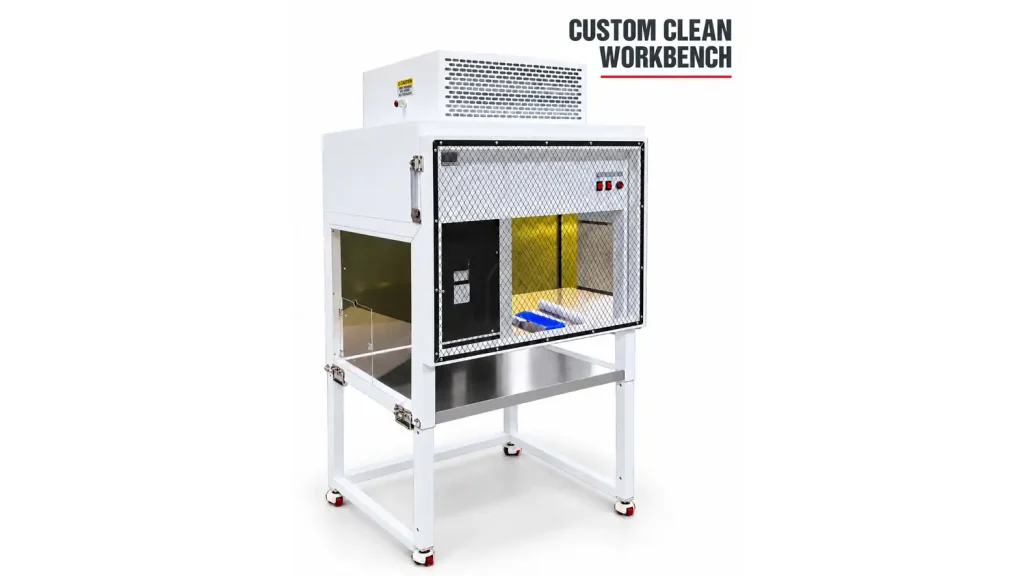
A clean workbench provides a local area for this work. The accompanying product and application photographs show how such equipment fits into optical handling beside laser equipment. The same concern also applies inside Likai Laser’s manufacturing process, where lenses and components are handled and inspected under clean working conditions before final preparation.
Why Contamination Matters for Cutting Head Optics
Protective lenses or windows and other cutting-head optical components can become exposed when their protected position is opened for maintenance. Contamination may come from the surrounding air, an ordinary work surface, tools, gloves or packaging handled with dirty hands. Removing an optic also creates a practical question: where will it be placed while its condition is checked?
Dust, fibers, fingerprints and residues on protective optics may affect beam transmission, process stability and cutting results, and can increase the risk of premature optical damage. Contamination can absorb laser energy or interfere with the optical surface. The effect depends on the component, contamination and operating conditions; a particle does not automatically mean that the cutting head will fail.
Surface condition therefore deserves attention alongside part identification. Our fiber laser cutting consumables guide explains the broader purchasing categories, including protective optics and lens assemblies. Here, the focus is the handling interval during replacement.
Why Use a Clean Workbench for Optical Replacement?
A clean workbench provides a cleaner, more controlled local working area for handling, inspecting and replacing sensitive optical components. It gives maintenance staff a prepared place to inspect a removed component, handle the replacement and prepare it for installation, reducing unnecessary exposure to ordinary workshop contamination.
Placing an unpacked protective lens directly on an open workshop table can introduce contamination or risk contact damage. Prepare suitable supports, handling tools and approved inspection materials before opening the replacement packaging. Keep removed components separate from new optics so residues from the old part are not carried into the replacement area.
The workbench supports the handling process; its presence alone does not establish surface cleanliness. Gloves and tools must also be suitable and clean. Avoid touching optical faces, and handle components by their edges where the design and approved procedure allow. Follow the equipment and optic manufacturer’s instructions for replacement, inspection and any cleaning. Work on the cutting head should be carried out by qualified personnel using the required machine safety procedure.
A Real Application Beside Laser Equipment
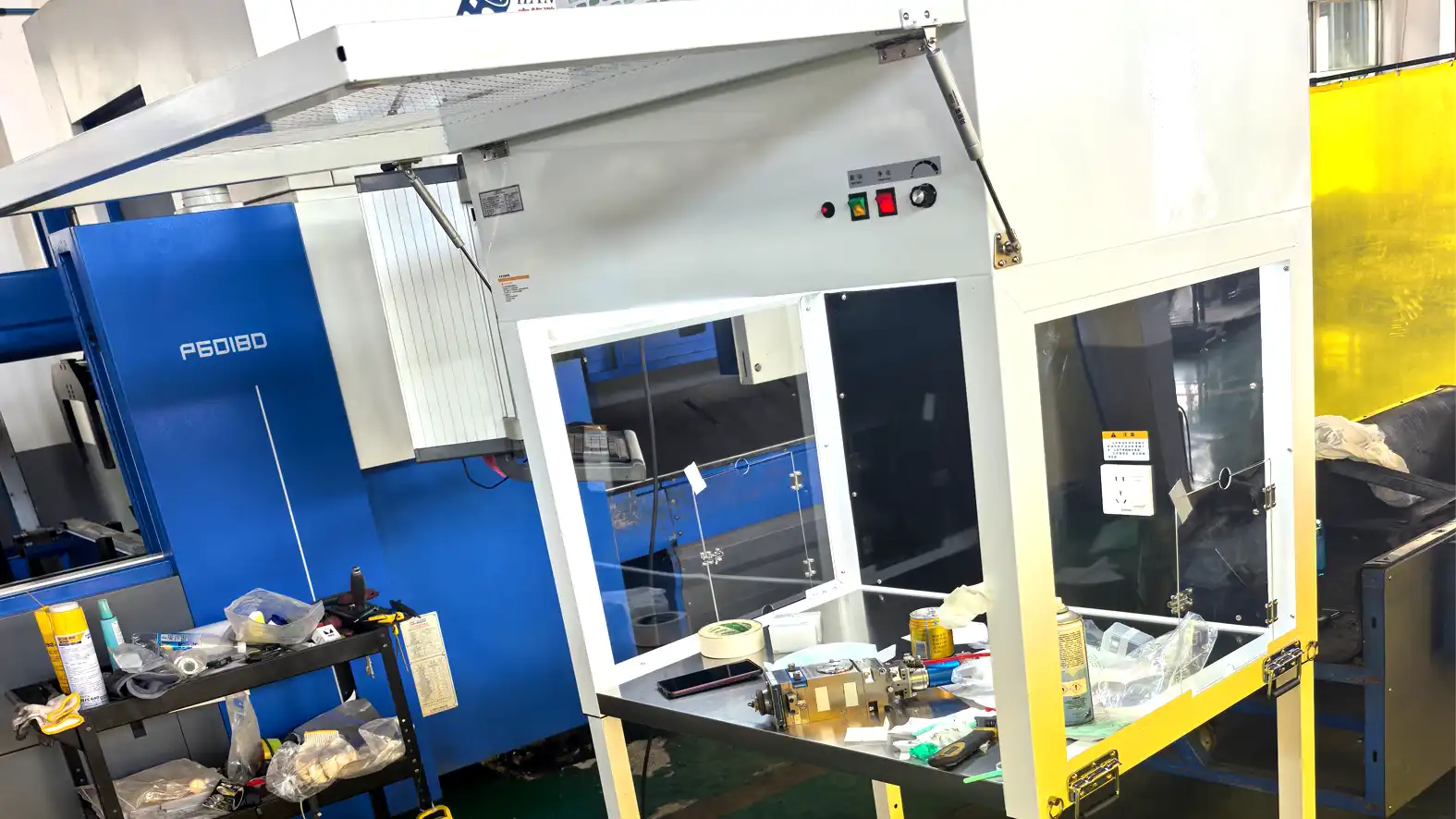
The application photograph shows a clean workbench positioned beside laser equipment, with a defined working area and surrounding workshop surfaces visible. It records a real setting for cutting-head optical component handling and replacement. It does not establish a cleanroom classification, measured particle level or a particular filtration specification.
Keeping a prepared handling area near the equipment can reduce the need to carry exposed optics across the workshop. Plan the transfer as part of the maintenance task: leave the new component protected until it is needed, provide an appropriate place for the removed part, and avoid unnecessary unpacking or repeated handling. The photograph illustrates the working arrangement rather than a complete replacement procedure.
Clean Inspection Is Also Part of Optical Component Production
Likai Laser also handles and inspects optical lenses and components in a controlled clean working environment. After cleaning and processing, optical surfaces are handled and inspected under clean conditions to reduce the risk of recontamination before final preparation.
This links the inspection stage with the condition in which a component moves to the next operation. Cleaning is less useful if an exposed surface is then placed on a contaminated support or handled with unsuitable tools. Controlled handling helps preserve the prepared surface while checks are carried out against the agreed product requirements.
Our optical lens manufacturing process article explains how processing, cleaning, coating where required, inspection and final preparation relate to an order. Clean working conditions support those operations; the applicable inspection scope and acceptance criteria still depend on the component and agreed specification.
Clean Handling From Production to Replacement
On the manufacturing side, the handling sequence connects cleaning, clean handling, inspection and final preparation. During customer maintenance, attention shifts to the exposed optical position, removal of the existing optic, inspection and handling, and installation of a clean replacement. These are two stages of the same surface-protection problem.
A component supplied in suitable protective packaging still needs care after it reaches the user. Keep it protected during storage, prepare the replacement area first and limit the time it remains exposed. If contamination or damage is found, follow the approved assessment procedure rather than assuming that more wiping will make the part suitable for use.
What Buyers Should Confirm When Ordering Replacement Optics
Start with the information that identifies the replacement and its intended position:
- Cutting-head information and the replacement position
- Existing optic reference, clear photographs and any available drawing
- Known dimensions and optical specifications, with uncertainties identified
- Required quantity and any repeat purchasing requirement
Physical size or appearance alone cannot establish optical suitability. Confirm unresolved requirements before selecting a replacement, and explain whether the inquiry concerns an individual optic or an assembly. Likai Laser’s optical products and laser cutting consumables provide a starting point for that discussion.
Discuss Your Replacement Optics Requirements
To discuss replacement optics, send your available component information to Likai Laser, including the intended application and estimated quantity. Mention any handling or inspection requirements so they can be reviewed with the product specification.